Pixie's Puzzle Box (Construct 3) In-Depth: A Developer's Review and Deployment Guide - Free
Pixie's Puzzle Box (Construct 3) In-Depth: A Developer's Review and Deployment Guide
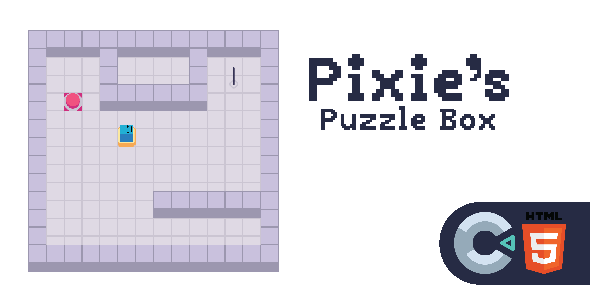
Game templates are a dime a dozen. They promise a fast track from idea to launch, but often deliver a tangled mess of undocumented code and poorly optimized assets. So when a product like Pixie’s Puzzle Box - HTML5 - Construct 3 lands on my desk, my default stance is skepticism. Pitched as a complete, ready-to-go match-3 style puzzle game, it’s built on Construct 3, Scirra's browser-based, event-driven game engine. This review isn't for the casual player; it's a deep dive for the developers, the webmasters, and the indie studios trying to determine if this is a solid foundation for a project or just another digital dust-gatherer. We're going to tear it down, inspect the components, and walk through a full production deployment.
Part 1: The Technical Teardown - What's Inside the Box?
Upon unzipping the package, the organization is standard and competent. You get the distributable HTML5 game folder, ready for immediate upload, and the crucial source file: PixiesPuzzleBox.c3p. There's also documentation, which is a welcome sight, though we'll see how necessary it is. For a developer, the .c3p file is the real product. The pre-compiled version is just proof that it works.
The Construct 3 Engine: A Double-Edged Sword
Before diving into the project's specifics, we need to address the engine itself. Construct 3 (C3) is a powerful tool for rapid 2D game development. Its core strength lies in its "event sheet" system, which replaces traditional programming with a visual, logic-based interface of conditions and actions. This makes it incredibly accessible for non-programmers and fantastic for prototyping.
However, this accessibility comes with trade-offs that a professional developer must understand:
-
Performance Ceiling: While C3's JavaScript-based runtime is impressively fast, it's not going to outperform a native-coded engine for highly complex, object-heavy games. For a puzzle game like this, it's more than sufficient, but it's a limitation to keep in mind if you plan to drastically expand the scope.
-
Proprietary Lock-in: The
.c3pproject file can only be opened and edited in Construct 3. You're dependent on Scirra's ecosystem. You can't just open the logic in VS Code and start tinkering. -
Abstraction Costs: The visual system abstracts away the underlying code. This is great for speed, but when you hit a strange engine-specific bug or need to implement a highly custom algorithm, debugging can become a frustrating exercise in working around the engine's built-in behaviors.
With that context, let's open the .c3p file and see how the developers of Pixie's Puzzle Box have navigated these waters.
Codebase Analysis: The Event Sheets
This is where a template lives or dies. A clean, well-organized event sheet is a pleasure to work with; a chaotic one is a nightmare. I'm pleased to report that Pixie's Puzzle Box falls firmly in the former category. The developers have made excellent use of C3's organizational tools.
Structure and Organization:
The logic is broken down into multiple event sheets, each with a clear purpose: E - Game, E - Main, E - UI, etc. This is good practice. Inside each sheet, the logic is further segmented into groups. For instance, in E - Game, you'll find collapsible groups like [INPUT] Touch & Mouse Controls, [GRID] Creation, [MATCHING] Logic, and [SCORING]. The use of clear, bracketed prefixes for group names is a simple but effective touch that makes navigation much faster.
Core Game Logic:
The heart of the game, the block-matching and grid-refilling logic, is found in the E - Game sheet. The implementation is solid and follows standard C3 best practices. It's not doing anything revolutionary, but it's reliable.
-
Match Detection: The logic for detecting matches appears to iterate through the grid, checking neighbors for matching colors. It seems to handle chains and combos correctly, queuing up actions and resolving them sequentially to allow for animations to play out.
-
Object Management: The game correctly uses
Create objectandDestroyactions. I didn't spot any obvious memory leaks, like creating objects outside the game loop without a corresponding destroy condition. The use of Object Pooling isn't present, but for a game of this scale, it's not strictly necessary. -
State Management: The game uses global variables and instance variables effectively to manage state (e.g.,
GameStatebeing 'playing', 'gameover', 'paused'). This is a clean way to control the flow and prevent player input during animations or transitions.
What Could Be Better:
While the code is clean, it's not perfect. There's a slight over-reliance on checking conditions every tick (Every tick). For some UI elements or input checks, this is fine. But more complex logic could be triggered by events instead. For example, instead of checking Every tick if the score has reached a new threshold, the check could be placed directly within the [SCORING] group, only running at the moment the score changes. This is a minor optimization but reflects a deeper-level approach to event-driven programming.
Asset Quality: Graphics and Audio
A game's chrome is just as important as its engine, especially for a template destined for re-skinning.
Graphics: The art style is colorful, whimsical, and cohesive. The assets are provided as PNGs, which is standard. They are high-resolution enough for modern displays, but they are raster images. This means scaling them up significantly will result in pixelation. For a developer looking to re-skin, the lack of source vector files (like .AI or .SVG) or layered PSDs is a definite drawback. You'll be painting over existing PNGs or creating new assets from scratch to match the dimensions, rather than easily editing the source. The UI elements are well-designed and fit the theme, but again, they are flattened PNGs.
Audio:
The audio package is decent. You get a looping background track and a set of sound effects for matching, clearing, and UI interactions. The files are provided in both .ogg and .m4a formats for broad browser compatibility, which is a professional touch often overlooked in cheaper templates. The audio implementation in the event sheets is straightforward—a simple Audio > Play action triggered by the relevant event. There's no complex audio manager for handling channels or advanced fading, but it gets the job done.
Part 2: Customization and Extensibility - Making It Your Own
Nobody buys a template to release it as-is. The real value is in its adaptability. How easy is it to mold Pixie's Puzzle Box into something unique?
Re-skinning the Game
This is the most common use case. The process in Construct 3 is straightforward but tedious.
-
Asset Replacement: In the Project Bar, you can navigate to the
Animationsfolder for each sprite. You can right-click on an animation frame and chooseReplace image. You'll need to do this for every single asset, from the pixie character to each colored block and UI button. -
Collision Polygons: When you replace an image, you must remember to adjust its collision polygon in the C3 image editor. For simple squares, this is easy. For more complex shapes, it's an extra step that's easy to forget.
-
Animation Timings: If your new sprites have different animation requirements (e.g., a different number of frames for an idle loop), you'll need to adjust the animation properties (speed, looping) directly in the Animations panel.
The process is simple but requires meticulous attention to detail. Since the assets are not from a shared source file, you have to replace each one individually. A developer could write a script to automate replacing files in the project's source folder, but for most users, it will be a manual job.
Modifying Gameplay and Adding Levels
Here, the template's structure really shines. Because the logic is well-commented and grouped, a developer with basic C3 knowledge can easily start making changes.
-
Adding Levels: The game's levels appear to be defined by parameters within the event sheets, such as target score or a pre-set grid layout. To create a "level pack," a developer would likely need to duplicate the main game layout, create a new event sheet for the level-specific logic, and manage the flow between them. A more advanced approach would be to modify the game to load level data from a JSON file. The template doesn't include this by default, but the existing grid creation logic in
E - Gameprovides a perfect starting point for such a modification. This would be my first major change if I were adapting this for a large project. -
Changing Mechanics: Want to add a timer? Go to the
E - Gamesheet, add a new variableTimeLeft, set it at the start of the game, and create a new event:Every tick > System: Subtract '1 * dt' from TimeLeft. Then add a condition to check ifTimeLeft Project > Export. -
Choose
Web (HTML5). -
You'll be presented with export options. For a production build, I recommend the following:
-
Minify script: Choose
Advanced. This compresses your JavaScript code, resulting in faster load times. Simple minification is okay, but advanced offers better optimization. -
Export type: Choose
Export as a separate folder. This gives you a clean directory structure to upload. -
Click
Nextand Construct 3 will build the project. It will package all your code, assets, and the C3 runtime into a single folder.
Step 3: Examining the Exported Files
Your exported folder will contain several items:
-
index.html: The main entry point for your game.
-
c3runtime.js: The core Construct 3 engine.
-
scripts/main.js: Your game's specific logic, now compiled to JavaScript.
-
scripts/dispatchworker.js and scripts/jobworker.js: Web workers for performance.
-
media/: All your audio files.
-
icons/: App icons for PWAs and shortcuts.
You can open index.html in a text editor like VS Code to make final tweaks. You might want to add custom meta tags, analytics scripts (like Google Analytics), or adjust the CSS styling of the page that contains the game canvas.
Step 4: Server Deployment
-
Connect to your server: Open your FTP client and connect to your web host using the credentials they provided.
-
Upload everything: Navigate to the directory where you want the game to live (e.g.,
public_html/games/pixie-puzzle). Drag and drop the entire contents of the exported folder into this directory. -
Check for errors: Once the upload is complete, navigate to the URL in your browser (e.g.,
www.yourwebsite.com/games/pixie-puzzle). Open the browser's developer console (F12 or Ctrl+Shift+I). Watch for any 404 errors (file not found) or CORS (Cross-Origin Resource Sharing) errors. 404s usually mean an incomplete upload. CORS errors can happen if you're trying to load assets from a different domain and your server isn't configured to allow it. For a self-contained game like this, it's rare but possible. -
Embedding with an iframe: If you want to embed the game into an existing page, you can use an
`: <iframe src="/games/pixie-puzzle/index.html" width="800" height="600" style="border:none;"></iframe> Adjust thewidth,height, andsrc` path accordingly. This is a common method for integrating games into larger sites.
The Verdict: Who Should Buy Pixie's Puzzle Box?
So, is this template a worthwhile investment? It depends entirely on who you are.
The Ideal User: This template is perfect for a webmaster or a small business owner who wants to add engaging content to their site without a massive development budget. Many sites that feature a catalog of items, such as those offering Free download WordPress themes, can benefit from the increased user engagement a simple, fun game provides. It's also an excellent learning tool for an intermediate Construct 3 user who wants to dissect a well-structured, complete project to learn best practices.
Pros:
-
Solid Foundation: The code is clean, organized, and follows best practices for the C3 engine. It's stable and performs well.
-
Complete Package: It comes with all the art and sound needed to be deployed immediately.
-
Highly Customizable: The logical structure makes it easy to modify game mechanics, add levels, and re-skin the visuals.
Cons:
-
No Source Assets: The lack of layered PSDs or vector files for the graphics makes high-quality re-skinning more work than it needs to be.
-
Engine Limitations: As with any C3 project, you're tied to the Scirra ecosystem and its performance/feature ceiling.
-
Generic Mechanics: The game is a standard match-3. It doesn't introduce any novel mechanics out of the box. Its uniqueness will depend entirely on your own creative additions.
Ultimately, Pixie's Puzzle Box is a professional-grade template. It delivers exactly what it promises: a complete and adaptable HTML5 puzzle game. It's not a magic bullet that will build a business for you, but it's a significant accelerator. For a developer who understands its purpose and limitations—to serve as a robust starting point—it's an excellent value. It saves you from the tedious groundwork of building a stable grid and matching system, letting you focus on the creative work of adding unique features, art, and monetization. If your goal is to quickly launch a polished puzzle game, this template is one of the better starting points you'll find from a provider like gplpal.
评论 0