Fruit Adventure Construct 3 Game Kit: A Developer's Deep Dive and Reskinning Guide - Free
Fruit Adventure Construct 3 Game Kit: A Developer's Deep Dive and Reskinning Guide
Let's be direct. The market for HTML5 game templates is a minefield of abandoned projects, undocumented code, and broken promises. As developers, we're often looking for a solid foundation—not a digital ruin—to build upon. So, when a product like the Fruit Adventure HTML5 Game - With Construct 3 All Source-code (.c3p) appears, it warrants a healthy dose of skepticism and a thorough teardown. This isn't just a review of a simple platformer; it's an analysis of a development kit. We'll dissect its code, evaluate its viability for customization, and provide a practical guide to turning this template into your own unique game.
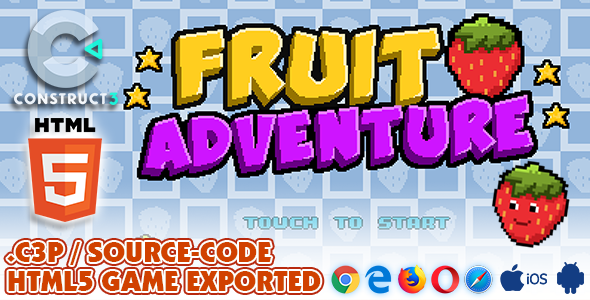
The core promise is simple: a complete, mobile-ready, 30-level 2D platformer built in Construct 3, with the full project file included. This means you aren't just getting the exported HTML5 game that you can embed in a website. You're getting the keys to the entire factory. For anyone looking to launch a web game quickly, learn Construct 3 with a real-world example, or create a branded "advergame" for a client, this is an interesting proposition. But is the foundation solid, or is it built on digital sand?
The Gameplay Review: Is It Actually Fun?
Before we even think about opening the source code, we have to evaluate the product as a player would. A game with a terrible core loop is lipstick on a pig, no matter how clean its code is. I ran through the first dozen levels on both a desktop with a keyboard and on a smartphone via a local server to test the touch controls.
Controls and Feel: The game mechanics are standard for the genre. You run, you jump, you double-jump, and you collect fruit. On a desktop, the keyboard controls (arrow keys for movement, space for jump) are responsive and tight. The character has a satisfying, albeit slightly floaty, jump arc. The double-jump mechanic feels good and is essential for navigating the later, more complex levels. The physics are predictable, which is exactly what you want in a platformer that requires precision.
On mobile, the on-screen touch controls are functional but less ideal. It uses the standard left/right arrows on the bottom left and a jump button on the bottom right. While they work, they lack the tactile feedback of a physical controller or keyboard. This is a common issue with web-based platformers on touch screens, not a specific fault of this game. The hitboxes for the buttons are generous enough, but a fast-paced level can feel clumsy. For a casual audience, it's perfectly acceptable.
Level Design and Difficulty: The 30 included levels offer a surprisingly decent difficulty curve. The first few levels are introductory, teaching you basic movement and enemy avoidance. By level 10, you're dealing with more complex platforming sequences, multiple enemy types, and timed traps. The design avoids becoming overly repetitive by introducing new elements like moving platforms, crumbling blocks, and different enemy patterns (patrolling vs. stationary shooters).
It’s not a masterpiece of game design by any stretch. Some platform placements feel a bit arbitrary, but there's a clear progression of challenge. The core loop of collecting all the fruit (cherries, watermelons, etc.) and reaching the trophy is compelling enough to keep a player engaged for a short session. This makes it ideal for a coffee-break game on a web portal or a quick distraction.
Art and Sound: The visual style is bright, colorful, and generic. This is a double-edged sword. On one hand, the cartoonish, family-friendly aesthetic is inoffensive and broadly appealing. The sprites are clean and the animations are fluid. On the other hand, it lacks a unique identity. It looks like a thousand other mobile platformers. This is, however, a massive advantage for someone planning to reskin the game. The art is so fundamentally simple that replacing it with a new theme—be it sci-fi, horror, or a corporate mascot—is incredibly straightforward.
The sound design is equally generic. Bouncy, upbeat background music and simple "boing" and "collect" sound effects do their job without being memorable. Again, this is perfect for a template, as you'll almost certainly want to replace these with your own audio assets to match your new theme.
Diving into the Code: A Look Inside the .c3p File
This is where the real value lies. The exported game is fine, but the .c3p project file is the reason a developer buys a kit like this. To follow along, you will need a license for Scirra's Construct 3, as it's a browser-based engine. Opening the project reveals a surprisingly well-organized structure.
Project Structure and Organization
The developers didn't just throw everything into a single event sheet. The project is logically divided:
-
Layouts: Each of the 30 levels is its own layout, along with layouts for the Main Menu, Level Select, and UI overlays. This is standard practice and makes managing levels simple.
-
Event Sheets: There's a primary
E_Gameevent sheet that controls all the core player logic, enemy behavior, and game rules. Then there are separate, smaller event sheets for the UI (E_UI) and menus (E_Menu). This separation is crucial for maintainability. The core game logic is included as a linked event sheet in each level layout, meaning a change inE_Gamepropagates to all 30 levels instantly. This is a sign of competent C3 development. -
Object Types: Sprites, tilemaps, and other objects are well-named (e.g.,
Player,Enemy_Slug,Collectable_Cherry). They make effective use of Families, a key Construct 3 feature. For example, all enemy types are grouped into anEnemiesfamily, and all collectables into aCollectablesfamily. This allows for writing efficient events like: Player -> On collision with -> Enemies -> Restart Layout, instead of writing a separate collision event for every single enemy type.
Analysis of Key Event Blocks
Let's break down some of the core logic in the E_Game event sheet. Construct 3 is a visual, event-based system, so "code" here refers to blocks of conditions and actions.
Player Controller:
The player movement is handled by the built-in Platform behavior, which is a smart choice. It saves hundreds of events that would be needed to code physics from scratch. The customization is done through events layered on top of the behavior:
-
On Left Arrow is down -> Player -> Simulate control 'Left'
-
On Spacebar pressed -> Player is on floor -> Player -> Set vector Y to -700 (Jump)
-
On Spacebar pressed -> Player is NOT on floor AND Player.Variable('double_jump_available') = 1 -> Player -> Set vector Y to -650 (Double Jump) AND Set 'double_jump_available' to 0
This logic is clean, easy to read, and simple to modify. Want a higher jump? Just change the Set vector Y value. It’s immediately accessible even to a Construct 3 beginner.
Enemy AI: The enemy AI is basic but effective for this type of game. For a simple slug enemy, the logic is essentially:
// Group: Slug AI // Condition: Every tick // Sub-Condition: Slug.Variable('direction') = "left" // Action: Slug -> Simulate control 'Left'
// Condition: Slug is overlapping EdgeMarker_Left // Action: Slug.Variable('direction') = "right" // Action: Slug -> Set mirrored
The slug simply moves back and forth between two invisible "EdgeMarker" sprites. This is a classic, performance-friendly way to handle simple patrol behavior in 2D games. More complex enemies use timers (Every X seconds -> Fire bullet) or line-of-sight checks. It's all straightforward and ripe for expansion.
Code Quality Verdict: The source code is professional. Variables are clearly named, events are grouped and commented, and it leverages engine features effectively. It's an excellent learning resource and a stable base for building upon. There are no convoluted, hard-to-follow logic chains. A developer with moderate Construct 3 experience could jump in and start making meaningful changes within an hour.
The Installation and Reskinning Guide
Now for the practical part. Let's take this template and begin the process of making it our own. The goal is to change the game's identity without having to rewrite the core logic.
Step 1: The Setup
-
Download the package and unzip it. You'll find the exported HTML5 game folder and the
FruitAdventure.c3psource file. -
Log into your Construct 3 account at editor.construct.net.
-
Click
File > Open > Open from local fileand select the.c3pfile. The entire project will load in your browser.
Step 2: The Visual Overhaul (Reskinning)
This is where you'll spend most of your time. Your goal is to replace the existing art assets with your own.
Replacing the Player Character:
-
In the Project Bar on the right, find the
Playersprite underObject types. -
Right-click it and select
Edit animations. -
You'll see the animation frames for
Idle,Run,Jump, etc. -
You can now import your own sprite sheets or individual frames. The key is to maintain the same animation names (
Idle,Run) so you don't have to change any events. Ensure your new sprite's collision polygon is correctly shaped.
Changing the World Tiles:
-
The level graphics are controlled by a
Tilemapobject. FindTiles_Ground(or similar) in the Project Bar. -
Right-click and
Edit tilemap. This opens the tilemap editor. -
You can load a new tileset image. As long as your new tiles are the same size (e.g., 64x64 pixels), you can simply "paint" over the old level design with your new tiles without breaking the level's structure.
Updating the UI:
-
The on-screen buttons, score display, and menus are on their own UI layer.
-
Find objects like
Button_JumporText_Scorein the Project Bar. You can edit these just like any other object. -
To change the font, you'll need to import a webfont into the project via the
Fontsfolder in the Project Bar. Then, you can set yourTextobjects to use the new font.
Step 3: Modifying Core Mechanics
Let's make some simple gameplay changes in the E_Game event sheet.
Adjusting Player Speed:
-
Select the
Playerobject. In the Properties Bar on the left, you'll see its Behaviors. -
Click on the
Platformbehavior. -
Here you can directly change properties like
Max speed,Acceleration,Deceleration, andJump strength. No event editing is needed for these simple tweaks. This is the fastest way to alter the game's feel.
Changing an Enemy's Behavior:
-
Let's make the slug enemy jump periodically.
-
Go to the
E_Gameevent sheet. -
Right-click and add a new event.
-
Condition:
System -> Every X seconds -> 3(for every 3 seconds). -
Add another condition:
Slug -> Is on floor. -
Action:
Slug -> Platform -> Set vector Y -> -500.
With just one new event, you've now given every slug in the game a jumping ability. It's that extensible.
Step 4: Exporting and Deploying
Once you're happy with your changes, it's time to export.
-
Go to
Menu > Project > Export. -
Choose
Web (HTML5). -
Keep the default settings and click
Next. Construct 3 will compile and package your game. -
Download the resulting ZIP file.
-
Unzip the file. You'll have an
index.html, ac3runtime.jsfile, and various other folders. -
Upload the entire contents of this folder to a directory on your web server using an FTP client or your hosting provider's file manager.
Your reskinned game is now live and playable from any modern web browser.
Monetization and Real-World Use Cases
A game template is a tool, and its value is determined by what you build with it. Here are some practical applications:
-
Ad-Supported Game Portals: This is the most common use. You can reskin the game, integrate ads using a third-party Construct 3 plugin (like for AdMob or Google AdSense), and host it on your own game website. With a library of such games, you can generate revenue from traffic. The low cost of entry for assets from providers like gplpal makes this a viable strategy.
-
"Advergames" for Brands: A marketing agency or web developer can pitch this to clients. Imagine this reskinned as "Juice Corp Adventure," where the character is the brand's mascot and they collect bottles of juice instead of fruit. It's a fast and cost-effective way to create an engaging piece of marketing content.
-
Educational Tool: For anyone wanting to learn game development, this project is a fantastic case study. By dissecting the event sheets, a student can learn professional C3 practices far more effectively than by starting from a blank canvas.
-
Lead Magnet: Offer the game for free on your website. To save their high score or unlock extra levels, a user might have to enter their email address. It's a fun alternative to a boring PDF download.
The Verdict: Who Should Download This?
The "Fruit Adventure HTML5 Game" kit is a solid, professionally-made product. It does exactly what it promises: it provides a complete, easily modifiable foundation for a 2D platformer. It’s not a groundbreaking game, but it’s not supposed to be. It's a tool.
Pros:
-
Clean and Organized Code: The
.c3pfile is well-structured, commented, and easy for even a novice to understand. -
Complete Asset: It's a full game with 30 levels, menus, and UI, not just a barebones mechanic demo.
-
Highly Extensible: The use of behaviors and families makes modifying and adding new content simple.
-
Excellent Learning Tool: One of the best ways to learn Construct 3 is by examining a finished, well-made project.
Cons:
-
Generic Aesthetics: The default art and sound are bland. You will need to reskin it to have any unique identity.
-
Requires Construct 3: This is a hard dependency. You cannot edit the source code without a Construct 3 subscription.
Final Recommendation by Audience:
-
For the Hobbyist or Student: Absolutely. This is a perfect way to learn practical game development workflows in Construct 3 without the frustration of starting from scratch.
-
For the Indie Game Developer: It's a strong starting point for a game jam or a rapid prototype. You can focus on unique mechanics instead of rebuilding a platformer engine.
-
For the Web Agency or Marketer: This is a goldmine. The speed at which you can reskin and deploy this as a branded game for a client campaign is its biggest selling point. While you're building out client sites, you can find other useful assets among the wide selection of Free download WordPress themes and plugins to complete your toolkit.
Is it worth the download? If you fit into one of those categories and understand that you're buying a blueprint, not a finished mansion, then the answer is a definitive yes. It's a reliable, well-crafted shortcut to getting a functional and fun HTML5 game up and running.
评论 0