Financer Theme Review: A Developer's Deep Dive and No-Nonsense Installation Guide - Unlimited Sites
Financer Theme Review: A Developer's Deep Dive and No-Nonsense Installation Guide
In the world of WordPress themes, the "Business and Finance" category is a crowded battlefield. It's a space filled with promises of slick professionalism, one-click solutions, and corporate sleekness. The Financer - Business and Finance WordPress Theme enters this arena with a bold name and a suite of demos aimed squarely at consultants, investment firms, accountants, and brokers. But as any seasoned developer knows, what you see in the demo is often a carefully constructed facade. The real test is under the hood—in the code, the dependencies, and the day-to-day reality of building and maintaining a site. This isn't a marketing overview; it's a technical teardown and a real-world guide to getting this theme up and running, warts and all.
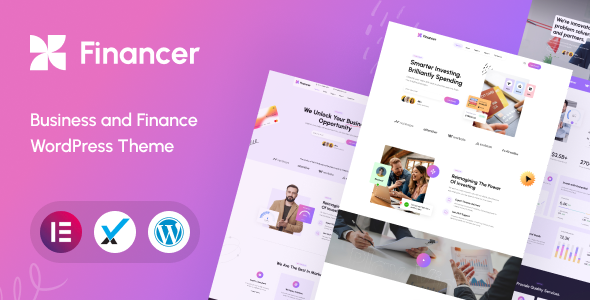
We're going to bypass the sales pitch and dive straight into the engine room. We’ll cover the installation from a practical standpoint, analyze the core components that make it tick (or fail), and run a performance diagnostic based on its architecture. By the end, you'll know if Financer is a blue-chip investment for your project or a junk bond waiting to default.
First Impressions: The Visual Pitch
Loading up the Financer demos, the initial aesthetic is exactly what you'd expect: competent and safe. The design language leans heavily on established corporate tropes—strong blues, clean sans-serif fonts, ample white space, and high-quality stock imagery of smiling professionals in glass-walled boardrooms. It doesn't break new ground, but it doesn't need to. For its target audience, predictability is a feature, not a bug. A financial consultancy's website should scream stability and trustworthiness, not avant-garde design.
The layouts are structured and grid-based, which is good for readability and presenting dense information like service lists, case studies, and team bios. The iconography is clean and universally understood. The use of subtle animations, parallax backgrounds, and graphical elements like charts and progress bars adds a dynamic touch without being distracting. From a purely visual standpoint, the theme delivers a professional-looking shell that would instill confidence in a potential client. The question is, how rigid is this shell, and what's required to pour your own content into it without cracks appearing?
Installation and Setup: From Zero to Demo
This is where theory meets practice. Getting a premium theme from a zip file to a fully functional, demo-like state can be a minefield of plugin conflicts, server limitations, and vague instructions. Let’s walk through the process step-by-step, highlighting the potential pain points.
Step 1: Acquiring and Uploading the Theme
First, you need the theme files. Whether you purchase it directly from the author or acquire it from a GPL club like gplpal, you'll receive a zip file. A common rookie mistake is to upload this main package directly. Unzip it first. Inside, you'll typically find documentation, licensing info, maybe some PSD files, and two crucial zip files: financer.zip (the parent theme) and financer-child.zip (the child theme).
Always install the child theme. I cannot stress this enough. If you modify the parent theme directly, your changes will be obliterated the next time the theme is updated. A child theme inherits all the functionality and styling of the parent but allows you to safely add your own customizations in separate files.
Installation process:
-
Log in to your WordPress dashboard.
-
Navigate to Appearance > Themes > Add New.
-
Click Upload Theme.
-
Upload financer.zip but do not activate it.
-
Go back and repeat the process, this time uploading financer-child.zip.
-
Now, activate the "Financer Child" theme.
This ensures the parent theme's files are present for the child theme to reference, while your active theme is the safe, customizable child.
Step 2: The Plugin Onslaught
Upon activating the theme, you'll be greeted by a prominent notice at the top of your dashboard, urging you to install a list of required and recommended plugins. This is a critical junction. The theme's functionality is not self-contained; it's heavily reliant on this third-party software. For Financer, the typical bundle includes:
-
WPBakery Page Builder: The old workhorse of WordPress page builders. It’s the engine for creating the complex layouts seen in the demos.
-
Revolution Slider: A powerful but notoriously heavy slider plugin for creating the hero sliders on the homepage.
-
Contact Form 7: A standard, no-frills solution for contact forms.
-
Financer Core: This is a custom plugin built by the theme authors. It contains the theme's custom post types (like Projects, Testimonials), shortcodes, and other essential functionality. This is a good practice, as it separates core features from presentation, allowing you to switch themes later without losing all your content.
-
And possibly more: Depending on the version, you might see others for things like social media integration or newsletters.
Use the provided installer to bulk-install and activate these plugins. If you run into errors during this process, it's almost always a server configuration issue. The two most common culprits are:
-
max_execution_time: The script timed out. You may need to install plugins one by one or increase this value in your php.ini file (if your host allows it).
-
memory_limit: WordPress ran out of memory. A theme like this with its bundled plugins needs at least 128MB, preferably 256MB.
Resist the temptation to add more plugins at this stage. Get the base system stable first.
Step 3: Importing the Demo Content
With the plugins active, you can now import the demo content. You'll find the importer tool under Appearance > Import Demo Data or a similar-sounding menu item. This process promises a "one-click" import that will make your site look exactly like the live preview.
Reality Check: "One-click" is a marketing term. This process is downloading and setting up pages, posts, images, widgets, menus, and theme options. It's resource-intensive and the most likely point of failure.
Before you click that button:
-
Ensure your PHP limits (max_execution_time, memory_limit, max_input_time) are adequate. 300 seconds for execution time and 256MB of memory is a safe starting point.
-
This is best done on a fresh WordPress installation. Importing demo content into a site that already has content is a recipe for a mess.
-
Be patient. It can take several minutes. Do not navigate away from the page or refresh it, even if it looks like it's stalled. Open your browser's developer console to check for network activity if you're worried.
If the import fails or times out, you'll likely have a partially imported site. You might have some pages but no images, or the theme options might not be set. Most importers have a reset or uninstall function, but the cleanest solution is often to use a plugin like WP Reset to wipe the database and start again. It’s faster than trying to manually clean up a failed import.
Once the import succeeds, congratulations. Your site now looks like the demo. Now the real work of replacing all that dummy content with your own begins.
Under the Hood: A Developer's Autopsy
A pretty face is one thing, but a solid foundation is what determines a project's long-term viability. Let's dissect the core components of Financer.
The Page Builder: WPBakery Page Builder
Financer's reliance on WPBakery is perhaps its most significant technical characteristic. WPBakery (formerly Visual Composer) was revolutionary in its day, but it's now considered by many developers to be legacy technology. Its primary method of storing content is via shortcodes embedded directly into your page content. This creates two major problems:
-
Performance Bloat: The sheer volume of nested shortcodes and associated divs can lead to a heavy, convoluted DOM (Document Object Model), which can slow down page rendering.
-
Lock-in: If you ever decide to switch themes or deactivate WPBakery, your pages will break, leaving behind a mess of un-rendered shortcodes (e.g., [vc_row][vc_column]...[/vc_column][/vc_row]). This is a significant long-term risk.
Modern builders like Elementor (with its container-based approach) or the native Block Editor (Gutenberg) offer cleaner code output and a better user experience. That said, WPBakery has a vast library of add-ons, and Financer comes with a custom set of its own elements. These are the building blocks for things like "Icon with Text," "Service Boxes," and "Team Member" grids. They are well-integrated and make it relatively easy for a non-coder to replicate the demo layouts. For a business owner who just wants to get a site up and running and has no plans to change themes for years, the lock-in might be an acceptable trade-off for the convenience.
Theme Options Panel
The theme's customization hub is its Theme Options panel, likely built on the Redux Framework, a popular choice for theme developers. This panel is generally well-organized and comprehensive. You can expect to find controls for:
-
General Settings: Uploading logos (including a separate one for retina screens), favicons, and setting basic layout properties (e.g., boxed vs. full-width).
-
Styling/Color Options: Global control over the primary and secondary colors, link colors, and background colors. This is crucial for matching the site to your company's brand identity.
-
Typography: Detailed control over fonts for body text, headings (H1, H2, etc.), and menus. Integration with Google Fonts is standard.
-
Header & Footer: Options for different header layouts, sticky headers, and configuring the widget areas in the footer.
-
Blog/Portfolio Settings: Control over layouts for archive pages and single posts.
The panel is powerful, but it also represents a layer of abstraction. Changes made here are saved to the database and applied via inline CSS or a dynamically generated stylesheet. This is convenient but can be less performant than well-structured, static CSS. For deep customizations that go beyond the panel's options, you'll need to roll up your sleeves and write some CSS in the child theme's style.css file.
Code Quality and Extensibility
Digging into the theme files reveals a structure that is fairly standard for a ThemeForest-style product. The code is generally compliant with WordPress standards, but it's not always as lean as it could be. The theme enqueues a significant number of CSS and JavaScript files.
A quick look shows separate stylesheets for responsiveness, animations, plugins, and various components. While this modularity is good for development, it can result in a high number of HTTP requests on the front end, which negatively impacts load times. A well-optimized site would combine and minify these assets into fewer files.
On the plus side, the theme is built to be child-theme friendly. The template files (like header.php, single.php, page.php) are broken down into smaller, overridable parts using functions like get_template_part(). This means a developer can copy a specific template file (e.g., template-parts/content-single.php) into the child theme directory and modify it without touching the parent theme's core files. This is the correct way to approach WordPress theme development and is a major point in Financer's favor.
Performance Analysis: The Speed Test
Out of the box, after a full demo import, Financer is not going to win any speed awards. This is an unavoidable consequence of its architecture. Let's break down the performance bottlenecks:
-
Heavy Dependencies: WPBakery and Revolution Slider are both known to be resource-heavy. They load multiple CSS and JavaScript files on every page, whether their features are being used or not.
-
Multiple HTTP Requests: As mentioned, the theme's own CSS and JS are not always consolidated, leading to many separate server requests.
- Large Images: The demo content uses high-resolution, unoptimized images. This is the single biggest and easiest performance win you can achieve.
-
Font Loading: Loading multiple font weights from Google Fonts can block page rendering.
However, a poor out-of-the-box score is not a death sentence. With proper optimization, a site built on Financer can be made respectably fast.
Actionable Optimization Steps:
-
Get Good Hosting: Don't try to run a theme like this on $3/month shared hosting. You need a host with sufficient RAM, modern PHP versions, and preferably server-level caching (like Varnish or LiteSpeed).
-
Install a Caching Plugin: A premium plugin like WP Rocket is your best friend. It will handle page caching, asset minification (combining and shrinking CSS/JS files), and lazy loading of images with just a few clicks.
-
Optimize Images: Before you upload any images, resize them to the maximum dimensions they will be displayed at. Then, run them through an optimization tool like ImageOptim or use a plugin like Smush to compress them automatically. Serve them in next-gen formats like WebP.
-
Asset Management: Use a plugin like Asset CleanUp to selectively disable CSS and JS files on pages where they aren't needed. For example, you can prevent the Contact Form 7 scripts from loading on every single page and only enable them on your contact page. The same goes for the Revolution Slider scripts if it's only used on the homepage.
By implementing these steps, you can take a site that loads in 5-6 seconds and bring it down to under 2 seconds, which is a massive improvement in user experience and SEO.
The Verdict: Is Financer a Good Investment?
So, after dissecting Financer from top to bottom, what's the final call? The answer depends entirely on who you are and what you need.
Who is it for?
-
Small Businesses & Startups: For a business owner who needs a professional-looking website now and doesn't have the budget for a custom build, Financer is a solid choice. The demo import and theme options panel provide a clear path to getting a site live, and the WPBakery interface is manageable for basic content updates.
-
Freelancers & Small Agencies on a Budget: If you're building sites for clients in the finance sector and need to turn projects around quickly, Financer provides a reliable, if uninspired, starting point that can be customized to fit a brand's color scheme and logo.
Who should avoid it?
-
Performance Purists & Enterprise Clients: If every millisecond of load time counts, or if you're building a site that needs to be highly scalable and maintainable for years to come, the technical debt of WPBakery and the general bloat of a multi-purpose theme are significant liabilities. A custom block-based theme would be a far better long-term investment.
-
Developers Who Hate Page Builders: If you prefer writing clean, semantic HTML and CSS and loathe the idea of your content being trapped in shortcodes, stay far away.
Pros:
-
Highly professional and niche-appropriate design.
-
Comprehensive and well-structured theme options panel.
-
Includes premium plugins like WPBakery and Revolution Slider.
-
Good use of child themes and overridable template parts for customization.
-
The demo import process, while fragile, is effective for a quick start.
Cons:
-
Reliance on the dated and problematic WPBakery Page Builder.
-
Poor out-of-the-box performance that requires significant optimization.
-
Potential for bloat with a high number of plugins and assets.
-
The design, while professional, can feel a bit generic.
Ultimately, Financer is a tool. It's a powerful and feature-rich tool, but one with distinct trade-offs. It prioritizes rapid development and ease of use for non-coders over code purity and raw performance. It's a pragmatic choice for a specific segment of the market. If you understand its limitations and are prepared to do the necessary optimization work, it can be a valuable asset. For those considering this path, exploring the world of Free download WordPress themes can be a cost-effective way to test themes like this and see if their workflow suits your project before committing fully.
For my money, I'd lean towards a more modern, block-based theme for new projects. But if a client came to me with a site already built on Financer, I wouldn't despair. The foundation is solid enough to work with, provided you know where the performance levers are and how to pull them.
评论 0