Earth Defender Construct 3 Game: A Deep Dive Review and Developer's Guide - Unlimited Sites
Earth Defender Construct 3 Game: A Deep Dive Review and Developer's Guide
The market for HTML5 games is a brutal, fast-moving space. For developers, the pressure is to produce content quickly, while for webmasters and marketers, the challenge is to find engaging content that keeps users on-site. Game templates promise a shortcut through this grind, offering a foundation to build upon or a ready-made asset to deploy. Today, we're tearing down the Earth Defender HTML5 Construct 3 Game, a template that aims to deliver a classic arcade experience. This isn't just a surface-level review; we're going under the hood to analyze the project's structure, its real-world viability for customization, and provide a comprehensive guide for taking it from a downloaded ZIP file to a deployed, customized web game.
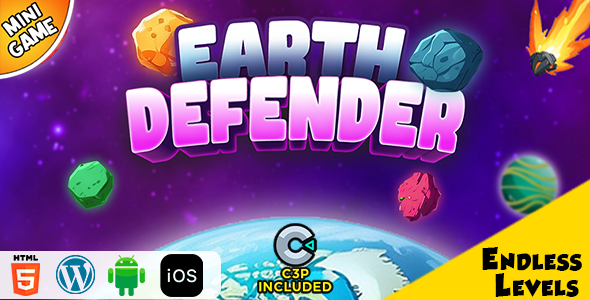
First Impressions: What Are You Actually Buying?
At its core, Earth Defender is a vertical-scrolling space shooter. The genre is timeless, immediately recognizable to anyone who has ever touched a classic arcade cabinet like Galaga or Space Invaders. You control a ship at the bottom of the screen, moving left and right, automatically firing upwards at descending waves of alien enemies. Power-ups drop, scores are tallied, and the difficulty ramps up. It’s a proven formula.
The presentation is clean, leaning heavily into a retro pixel-art aesthetic. The sprites for the player ship, various enemy types, and explosions are cohesive and well-executed for this style. They are generic enough to be easily replaced but professional enough to be used as-is for a quick launch. The scrolling starfield background provides a decent sense of motion without being distracting. It’s functional, not flashy, which is precisely what one should expect from a template.
Sonically, the package is adequate. A single looping electronic track provides the background music, fitting the retro sci-fi theme. Sound effects for laser fire, enemy explosions, and power-up collection are present and distinct. While they won’t win any awards, they provide essential audio feedback for the player's actions. In a real-world deployment, you would likely want to replace the music to give your project a unique identity, but the sound effects can easily be kept.
The user experience is where the template proves its worth. Controls are simple and responsive. On a desktop, it defaults to mouse movement, which feels fluid and precise. On mobile, it correctly utilizes touch input, allowing the player to drag the ship across the screen. The game scales well to various screen sizes, a critical feature for any modern HTML5 content. The UI is minimal—just a score display and a game-over screen—making it uncluttered and focused on the action.
Under the Hood: Deconstructing the Construct 3 Project
The most valuable asset in the download package is the .c3p file. This is the source project file for Construct 3, the engine it's built on. For those unfamiliar, Construct 3 is a powerful, event-sheet-based game engine that allows for rapid development of 2D games without writing traditional code. Having the source file is the difference between having a locked black box and having a fully modifiable foundation. This is what separates a cheap, disposable game from a genuine development accelerator.
Opening the .c3p reveals a project that is surprisingly well-organized. The event sheets, which house all the game's logic, are broken down into logical groups. You'll find distinct sections for ‘Player Logic’, ‘Enemy Spawning’, ‘Collisions’, and ‘UI Management’. This is a good sign. A messy, monolithic event sheet is a nightmare to debug and modify, but the developer here has clearly put thought into maintainability.
Code Quality and Best Practices
Diving into the event sheets, the logic is straightforward and generally follows best practices for the engine. Variables are sensibly named (e.g., player_speed, score, wave_number), making it easy to identify what you need to change. There is a good use of functions to handle repetitive tasks like creating an explosion at a specific location.
However, there are areas a seasoned developer might flag for optimization. I noticed a few "Every tick" events that could potentially be refactored into triggered events to improve performance on lower-end devices. For example, a check that only needs to happen once per second doesn't need to run 60 times per second. That said, for a game of this simplicity, the performance impact is negligible. The code is clean, commented in key places, and most importantly, it works reliably. It's an excellent learning resource for anyone new to Construct 3, demonstrating how to properly structure a complete game loop.
The Target Audience Profile: Who Needs This?
This game template isn't a one-size-fits-all solution. Its value is highly dependent on your goals.
-
The Indie Developer or Hobbyist: This is a perfect starting point. It handles the boring foundational work—player movement, basic shooting, scoring—allowing you to focus immediately on adding unique features, new enemy types, or complex boss battles. It's a fantastic way to learn Construct 3 with a tangible, working project.
-
The Content Marketer or Brand: Looking to "gamify" a website to increase user engagement and time-on-page? A simple, reskinned version of Earth Defender could be a powerful tool. Imagine a pest control company's website where you shoot bugs instead of aliens, or a tech blog where you shoot outdated gadgets. The barrier to entry is extremely low.
-
The Game Portal Owner: If you run a web game portal, content is king. Assets like this, especially when sourced from marketplaces like gplpal under licenses that permit broad usage, are the bread and butter of your business. They allow you to add a new game to your library with minimal investment of time or money.
-
The Educator: The project's clean structure makes it an ideal teaching aid. You can use it to demonstrate core game development concepts like collision detection, state management, and procedural content generation (via the wave spawner) in a visual, easy-to-understand environment.
The Developer's Guide: From Download to Deployment
Now, let's transition from review to practical application. Here’s a step-by-step guide to taking the Earth Defender template and making it your own.
Prerequisites: Your Development Toolkit
-
Construct 3: You'll need an active subscription to Scirra's Construct 3 to open and edit the .c3p file. The free version has limitations on the number of events, which this project may exceed.
-
Graphics Editor: Something for reskinning the sprites. For pixel art, Aseprite is the industry standard, but free options like Piskel or even GIMP will work just fine.
-
Code Editor (Optional): A good text editor like Visual Studio Code is invaluable for editing the exported files, especially when you start injecting ad code or analytics.
-
Local Web Server: For security reasons, modern browsers restrict some features when running files directly from the local filesystem (file:///...). You need to test your exported game on a local server. Node.js users can quickly install one with npm install -g http-server and then run http-server in the project directory.
-
Web Hosting: A place to host the final game. This can be anything from traditional shared hosting with FTP access to a modern static hosting provider like Netlify, Vercel, or GitHub Pages.
Step 1: Project Setup and First Run
After purchasing and downloading, you'll get a ZIP file. Unpack it. Inside, you'll find a few key items:
-
A folder named HTML5 or Export containing the ready-to-use game.
-
The golden ticket: EarthDefender.c3p (or a similar name).
-
Potentially, a documentation file.
Ignore the pre-exported folder for now. Launch Construct 3 in your browser, and open the .c3p file. Once loaded, find the "Preview" button (a play icon) in the top toolbar. This will launch the game in a new tab. Test it to make sure everything is running as expected in its vanilla state. This confirms your Construct 3 environment is working correctly.
Step 2: Core Customization - Making It Your Own
This is where the fun begins. The goal is to transform the template into something unique.
Reskinning the Graphics
In the Project Bar on the right side of the Construct 3 interface, find the "Sprites" folder. Here you will see all the game's graphical assets, like PlayerShip, Enemy1, Laser, etc. To replace one:
-
Right-click on a sprite object (e.g., PlayerShip) and choose "Edit animations".
-
The Animation Editor will open. In the Animation Frames panel at the bottom, you can right-click a frame and select "Replace from file".
-
Crucial Tip: Pay close attention to the image dimensions. If the original player ship is 32x32 pixels, your replacement should also be 32x32. While you can change it, doing so will require you to adjust the object's collision polygon (the shape used for hit detection) to match the new graphic.
Repeat this process for all enemies, projectiles, power-ups, and the background to complete your visual overhaul.
Tweaking Gameplay Mechanics
Navigate to the main event sheet, typically named Event sheet 1. This is the game's brain. Thanks to the organized layout, finding what you want to change is easy.
-
To change player speed: Look for a global variable named player_speed. Change its initial value. If movement is handled directly in an event, find the action "Set Player X to..." and modify the value there. In this project, it's often an action like "Player | Set X to: Mouse.X" for mouse control or "Player | Simulate 8Direction pressing Left/Right" for keyboard control. You'd adjust the 'Max speed' property on the 8Direction behavior attached to the Player object.
-
To adjust enemy health: Find the Enemy object. If it has an instance variable called
health, that's your target. If not, the "death" logic is likely simpler. Look for the collision event betweenLaserandEnemy. The action will be "Enemy | Destroy". To add health, you would add an instance variablehealthto the enemy, set its initial value (e.g., 3), and change the collision event to "Enemy | Subtract 1 fromhealth". Then, add a new sub-event: "Condition: EnemyhealthSystem: Create Enemy at Y position". By changing the "X seconds" value, you alter the spawn rate. By changing the Y position (often using arandom()expression), you alter where they appear. You can get creative here, creating new functions to spawn enemies in specific patterns (e.g., a V-shape) and calling those functions on a timer.
Step 3: Monetization and Integration
A game is often a means to an end, whether that's direct revenue or increased site traffic. Here's how to hook Earth Defender into a business strategy.
Advertising Implementation
The most common monetization method is display advertising. The key is to use Construct's Browser object to execute JavaScript and interact with an ad network's SDK.
First, you need to include your ad network's script (e.g., Google AdSense for Games) in your exported index.html file. Then, within Construct, you can call ads at strategic points:
-
Game Over Ad: This is the easiest. In the event that triggers the "Game Over" screen, add a new action:
Browser->Execute JavaScript. In the code field, you'd enter the function call provided by your ad network, such as "adBreak({type: 'interstitial'});". -
Rewarded Ad: Offer the player an extra life in exchange for watching an ad. On the Game Over screen, add a "Watch Ad for 1-UP" button. When the user clicks it, call your rewarded ad JavaScript function. The ad network's API will provide a callback to let you know if the user successfully watched the ad. In that callback, you can use JavaScript to call a Construct 3 function (which you must define in your event sheet) to grant the extra life and restart the level.
Embedding on a Website
Integrating the game into an existing website, like a WordPress blog or a company page, is straightforward. After exporting the game, upload the entire folder to your web server. Then, embed it in your page using an ``:
<iframe src="https://yourdomain.com/path/to/game/index.html" width="800" height="600" style="border:none;"></iframe>
Ensure the width and height are appropriate for your site's layout. A responsive wrapper around the iframe is often necessary to make it work well on all devices. This strategy is incredibly effective for boosting user engagement. While many sites focus on traditional content, offering interactive elements can be a major differentiator. It's a similar strategy to sites that provide assets like Free download WordPress themes to attract a specific, technically-inclined audience and build a loyal user base.
Step 4: Exporting and Going Live
Once your customizations are complete, it's time to deploy.
-
In Construct 3, go to Menu -> Project -> Export.
-
Choose "Web (HTML5)".
-
You'll be presented with export options. For a final build, it's wise to use the "Minify script" option to reduce file size and slightly obfuscate the code.
-
Construct will package your game into a ZIP file. Download it.
-
Unzip the file. This is the package you will upload to your web host.
Deployment options:
-
Static Host (Netlify/Vercel): This is the easiest method. Simply drag and drop the entire unzipped folder onto their dashboard, and they will host it for you on a super-fast global CDN.
-
Shared Hosting: Use an FTP client (like FileZilla) to connect to your web server and upload the contents of the unzipped folder into a directory of your choosing (e.g.,
/public_html/games/earth-defender).
After uploading, navigate to the URL in your browser to test the live version. Open the browser's developer console (F12) to check for any errors that might not have appeared during local testing.
The Verdict: A Solid Foundation with Caveats
So, is the Earth Defender HTML5 Construct 3 Game worth it? The answer is a qualified yes. If you are looking for a completely original, ready-to-launch game that will instantly go viral, this is not it. No template is.
The pros are significant. You get a competently built, well-structured, and fully functional game foundation. Access to the C3P source file is the key value proposition, saving a developer dozens, if not hundreds, of hours of foundational work. It’s an exceptional learning tool and a powerful accelerator for projects with tight deadlines or small budgets.
The caveats are inherent to its nature as a template. The gameplay is, by design, simple. The art and sound are generic. To make it truly stand out in a crowded market, you will need to invest your own creative energy in reskinning, adding new mechanics, and designing unique enemy patterns and boss fights. Monetization and website integration are not built-in; they are tasks you must undertake.
The bottom line is this: Earth Defender is not a finished product; it's a professional head start. It provides the solid, unglamorous 80% of the work, freeing you up to focus on the creative 20% that will define your project and make it unique. For developers, marketers, and entrepreneurs who understand this distinction, its value is unquestionable.
评论 0