Exion TV Script Review: A Developer's Deep Dive into Building Your Own Streaming Service - Activated
Exion TV Script Review: A Developer's Deep Dive into Building Your Own Streaming Service
The streaming gold rush has created a market flooded with platforms promising to be the "next Netflix." Most entrepreneurs quickly discover that building such a service from scratch is a monumental task, both technically and financially. This reality has opened up a niche for pre-built scripts that offer a turnkey solution. One such product making the rounds is the Exion TV - Watch Live TV with Movies (Live Streaming, IPTV, Shows, Series) script. It promises a comprehensive platform for live TV, VOD, and series management, all in a self-hosted package. But as any seasoned developer knows, promises on a sales page and production-ready code are two very different things. We're going under the hood to dissect its architecture, evaluate its real-world viability, and provide a no-nonsense guide to getting it up and running.
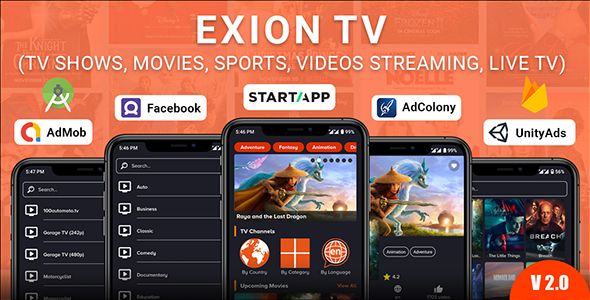
This isn't a surface-level review. We're treating this script not as a simple app, but as a foundation for a potential business. We’ll scrutinize its stack, its scalability limitations, and the hidden complexities the marketing materials conveniently omit. The goal is to determine if Exion TV is a legitimate launchpad for a streaming service or just another digital asset destined to gather dust on a hard drive.
Part 1: The Technical Autopsy
Before we even think about installation, we need to understand what we're dealing with. A script like Exion TV is a complex web application with a front-end (the Android app) and a back-end (the PHP admin panel). The success of the entire system hinges on the quality and design of that back-end.
Deconstructing the Architecture: A Classic PHP Affair
At its core, Exion TV is built on a familiar, if somewhat dated, stack: PHP and a MySQL database. There's no mention of a specific framework like Laravel or Symfony, which suggests it might be a custom-built, "vanilla" PHP application. While this approach can be lightweight, it often raises red flags for developers regarding maintainability, security, and adherence to modern coding standards (like PSR).
The system is fundamentally a Content Management System (CMS) tailored for video. Its primary function is not to transcode or stream video itself, but to manage and organize metadata and links to video streams hosted elsewhere. This is a critical distinction many buyers miss. You are not buying a media server; you are buying a sophisticated switchboard.
The architecture breaks down into several key components:
-
Admin Panel (The Brains): This is the PHP web application where you, the administrator, control everything. You add content, manage users, configure settings, and view basic analytics. Its quality determines your day-to-day operational sanity.
-
RESTful API (The Nervous System): The Android application doesn't connect directly to the database. It communicates with the PHP back-end through an API. This API handles requests for content lists, user authentication, subscription status, and playback URLs. The performance and security of this API are paramount.
-
MySQL Database (The Memory): All your data—user accounts, movie titles, series metadata, stream URLs, subscription plans—lives here. The efficiency of the database schema will directly impact how quickly the app loads content, especially as your library grows.
-
The Android App (The Face): This is the user-facing client. It's responsible for presenting the data fetched from the API in a usable interface and handling video playback. The script typically includes the full source code for this app, allowing for rebranding and customization.
Features vs. Reality: A Critical Look
Exion TV's feature list is impressive, covering almost every base you'd expect from a modern streaming service. Let's examine the most significant ones from a technical perspective.
Live TV & IPTV Integration: The script allows you to add live TV channels primarily through M3U8 (HLS) or other direct stream links. This is standard for IPTV management. However, the stability of these channels is entirely dependent on your source. The script has no control over whether a third-party stream goes offline. A robust implementation would require features like automatic stream checking and fallback URLs, which may or may not be present.
Movies & Series VOD: This is a core function. You can add content manually or, more efficiently, by importing data from The Movie Database (TMDb) using an API key. This saves a massive amount of time. The challenge here is sourcing the actual video files. You'll need to upload them to your own server, a cloud storage service like Amazon S3, or use links from external video hosts. This introduces significant bandwidth and storage costs that are separate from the script itself.
Subscription & Payment Gateways: The script boasts integration with platforms like PayPal and Stripe. This is a huge selling point, but implementation can be tricky. You'll need to manage API keys, webhooks for subscription status changes (e.g., failed payments), and ensure the entire process is secure and compliant with PCI standards if you're handling sensitive data.
Chromecast Support: This is a user-experience win. Technically, it means the Android app has the necessary Google Cast SDK implemented. It's a checkbox feature that's relatively straightforward to include, but its reliability depends on the quality of the app's code.
Scalability and Performance: The Million-User Question
Here's where a script like this lives or dies. Can it handle growth? The answer is: not without significant external infrastructure.
The PHP back-end itself is the least of your worries. A well-configured VPS or cloud server with a proper web server (Nginx is preferable to Apache for this) and database caching can handle the API requests for thousands of users. The real bottleneck is video delivery.
Let's say you have a 10Mbps movie file hosted on the same server as your PHP script.
-
1 user watching: 10 Mbps of outbound bandwidth. Manageable.
-
10 users watching: 100 Mbps of outbound bandwidth. Your server's connection is now likely saturated.
-
100 users watching: 1 Gbps of outbound bandwidth. This will crash a standard VPS and run up a colossal bill.
The only viable solution is to offload video delivery to a Content Delivery Network (CDN) like Amazon CloudFront, Cloudflare Stream, or Bunny.net. You would upload your video files to a storage origin (like S3) and have the CDN distribute them globally. The Exion TV script would then simply store the CDN URL for the video. The script does not solve this problem for you; it merely provides the framework where you can plug in the solution. Anyone planning to serve more than a handful of concurrent users must budget for CDN costs.
Part 2: Installation and Configuration Guide
Now that we have a realistic understanding of what the script does and doesn't do, let's walk through the process of getting it online. This is not a one-click install; it requires a basic understanding of web hosting environments.
Pre-Flight Checklist: Your Server Environment
Do not attempt this on a cheap, $3/month shared hosting plan. You will fail. You need, at a minimum, a Virtual Private Server (VPS) that gives you root or SSH access.
Server Requirements:
-
Operating System: A modern Linux distribution (Ubuntu 20.04/22.04 or CentOS/AlmaLinux).
-
Web Server: Nginx or Apache. I strongly recommend Nginx for its performance.
-
PHP: Version 7.4 or higher is a must. You'll also need several common PHP extensions. You can typically install them with a command like: sudo apt-get install php-curl php-gd php-json php-mbstring php-mysql php-xml php-zip
-
Database: MySQL 5.7+ or MariaDB 10.4+.
-
Access: Full SSH or terminal access is non-negotiable for troubleshooting.
-
SSL Certificate: Absolutely mandatory. Use Let's Encrypt for a free, auto-renewing certificate. Never run a login or payment system over unencrypted HTTP.
Step 1: Database Setup
Before you upload any files, create the database. This is the foundation.
-
Log into your server's database management tool (like phpMyAdmin) or use the command line.
-
Create a new database. For example,
exion_db. -
Create a new database user. For example,
exion_user. Give this user a very strong, unique password. -
Grant this user full privileges only on the new database (
exion_db). This is a crucial security step to limit the user's access if it's ever compromised. -
Write down the database name, username, and password. You will need them for the installer.
Step 2: Uploading the Files and Setting Permissions
You'll receive a ZIP file after purchasing the script. This file usually contains documentation, the Android app source code, and a folder named something like web_panel, backend, or admin_panel. This is the folder you need to work with.
-
Unzip the main file on your local machine.
-
Locate the web panel/backend folder.
-
Using an SFTP client (like FileZilla or WinSCP) or the
scpcommand, upload the contents of this folder to your server's web root (e.g.,/var/www/htmlor/var/www/yourdomain.com). -
Set File Permissions: This is the most common point of failure. The web server needs to be able to write to certain folders to save configuration files and cache. SSH into your server and navigate to your web root. Run the following commands (adjust paths as needed): sudo chown -R www-data:www-data . sudo find . -type d -exec chmod 755 {} \; sudo find . -type f -exec chmod 644 {} \; The first command changes ownership to the web server user. The next two set standard, secure permissions for directories and files. Some frameworks require specific cache or storage folders to be more permissive (e.g.,
775), so consult the script's documentation if the installer fails.
Step 3: Running the Installer
With the files in place and permissions set, it's time to run the installation script.
-
Open your web browser and navigate to
http://yourdomain.com/installorhttp://yourdomain.com/. The script should automatically redirect you to the installer. -
The installer will likely perform a pre-installation check to ensure your server meets all the requirements (PHP version, extensions, folder permissions). If any checks fail, you must fix them on the server before proceeding.
-
You'll be prompted to enter your database details: the hostname (usually
localhost), database name, username, and password you created in Step 1. -
Next, you'll create your administrator account. Choose a strong username and password.
-
The installer will then populate the database with the necessary tables and write your configuration file.
-
CRITICAL: Once the installation is complete, you MUST delete the
installdirectory from your server for security reasons. The installer should prompt you to do this. If it doesn't, do it manually via SFTP or SSH:rm -rf install/.
Step 4: Post-Installation Configuration
Log into your new admin panel at http://yourdomain.com/admin with the credentials you just created. Now the real work begins.
-
General Settings: Go through every tab. Set your application name, upload your logo, and configure your email settings (for password resets, etc.). This is also where you'll enter your TMDb API key, which is essential for quickly adding content.
-
API Configuration: There will be a section that shows you the API base URL. This URL is what you will need to configure in the Android app source code so it knows which back-end to talk to.
-
Adding Content: Start small. Try adding one live TV channel by pasting in a working M3U8 link. Then, try adding one movie using the TMDb import feature. This will help you understand the workflow before you attempt to bulk-import content.
-
Android App Rebranding: This is a separate, significant task. You'll need Android Studio. You'll open the provided source code, change the package name (to make it unique for the Google Play Store), replace all the logo and splash screen assets with your own, and finally, update the API base URL to point to your domain. Then you can compile the APK for release.
The Verdict: Is Exion TV a Smart Investment?
So, after dissecting the technology and walking through the setup, is Exion TV a viable platform? The answer is a qualified yes. It depends entirely on your expectations and technical capabilities.
Exion TV is for:
-
Technically-savvy entrepreneurs or small teams who understand web hosting and are prepared to manage their own infrastructure.
-
Developers looking for a solid foundation to build a custom streaming application without starting from zero.
-
Hobbyists or media creators who want a self-hosted platform to share a curated library of content with a small community.
Exion TV is NOT for:
-
Anyone looking for a simple, "plug-and-play" solution akin to Shopify or WordPress.com.
-
Businesses with no in-house technical expertise. The setup, maintenance, and especially the scaling, require a hands-on approach.
-
Anyone who thinks buying the script is the only cost. The real costs are in hosting, bandwidth/CDN, and potentially developer time for customizations.
The script itself is a tool—a powerful one for its price point, but a tool nonetheless. It provides the application logic, the database schema, and the user interface. It does not provide the content, the server infrastructure, or the massive bandwidth needed to deliver video at scale. Viewing it as a starter kit rather than a finished product is the key to success. For those who understand its role in the larger ecosystem, it can significantly accelerate the launch of a streaming service. You can acquire scripts like this from marketplaces like GPLPal, which often provide access to a wide variety of tools. If you're exploring different options, browsing categories like Free download WordPress themes and scripts can give you a better sense of the landscape of available self-hosted solutions.
评论 0